
Home Automation Makes Football Season Easier to Host
One Control4 Scene Sets the Room for Kickoff
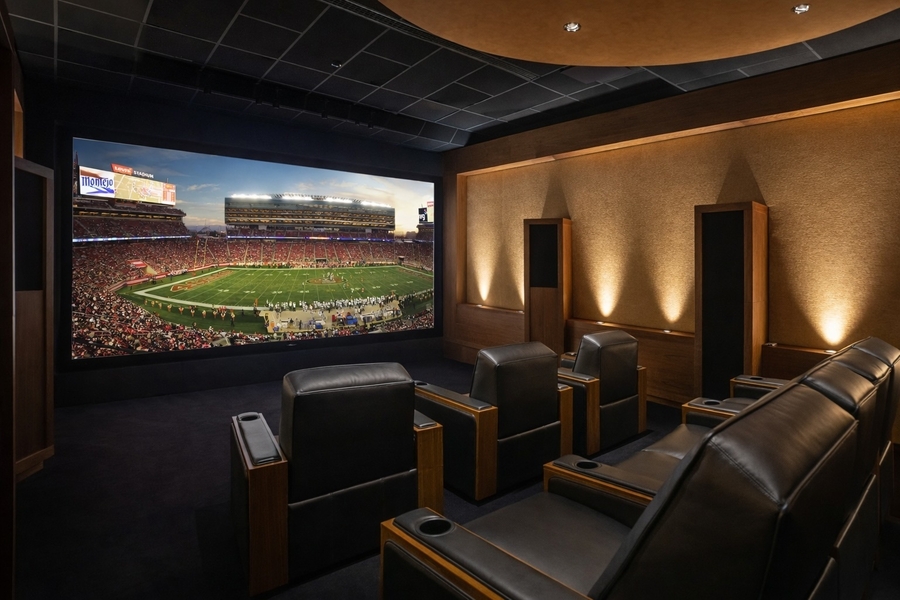
Kickoff is ten minutes away, six people are on the couch, and someone asks which remote turns on the surround sound. The lights are too bright for the screen, the afternoon sun is bouncing off the glass, and the game is on the wrong input. Whew!
Home automation fixes all of these issues by tying the room to one-touch control, so game day starts the moment your guests arrive. College Saturdays are underway, and the NFL playoffs are not far off, making now a good time to see what a game-day setup can do for your home’s entertainment potential.
Keep reading to see how it comes together.
MORE ON SPORTS AT HOME: Movie Nights and Sports Don't Need to Stop Once You Walk Outside
One Touch Sets the Scene for Game Day
A Control4 game-day scene starts with a single tap on a keypad or your phone. The TV turns on and lands on the right app, the sound system powers up at a volume you chose in advance, and the lights dim to a level that keeps the screen easy to see without turning the room into a cave.
On an afternoon kickoff, the shades come down to cut the glare. Dimmer lighting also helps the picture itself, because colors and dark scenes look better on a screen that is not competing with a bright room. Everyone in the house can use it, too. A guest or a teenager gets the same result with one press, so you no longer have to be the designated remote operator for every game.
Big Screens and Surround Sound for a Full House
A big screen gets people talking, and surround sound keeps them mentally in the game. A well-designed system puts the crowd noise around the room while keeping the announcers easy to understand, even with a dozen conversations going on. If your media room also serves as the family hangout, the same setup works for a Tuesday movie night.
Whole-home audio carries the broadcast to the kitchen and the patio, so whoever is refilling the chips still hears the call. In Portland, a rainy Sunday keeps everyone indoors anyway, which makes it the right time to give the house a home field advantage.
Scenes for Every Part of the Game
Kickoff is only the first scene. A Halftime scene can bring the lights up in the kitchen and dining area so the food comes out without anyone stumbling around in the dark, while the broadcast audio keeps playing in the background. A final-whistle scene shuts down the TV and sound system and sets the lights for the rest of the evening.
Not every game needs the same setup. A quiet Sunday afternoon with two people might call for lower volume and brighter lights, while a playoff party needs the full surround treatment. Saved scenes let you switch between them with one touch.
Because the scenes are programmed around your hosting preferences, your guests get to enjoy the game, and you get to enjoy it with them. Peace of mind comes from knowing every scene works the same way each time.
Make This Season's Game Days Easier
The best time to plan a game day setup is before you need it. Fall is also the season when many Portland-area homeowners turn to interior upgrades and lighting control, and a room that is ready now gets used from a Ducks Saturday to a Seahawks Sunday and into January.